Blog · Spotlight ·
Spotlight: The Inspection Bundle
Trust-wide assurance that accrues all year — one RAG cockpit across every school, and the evidence pack an inspector needs assembled, signed, in one click.
The KeystoneOps team · 6 min read
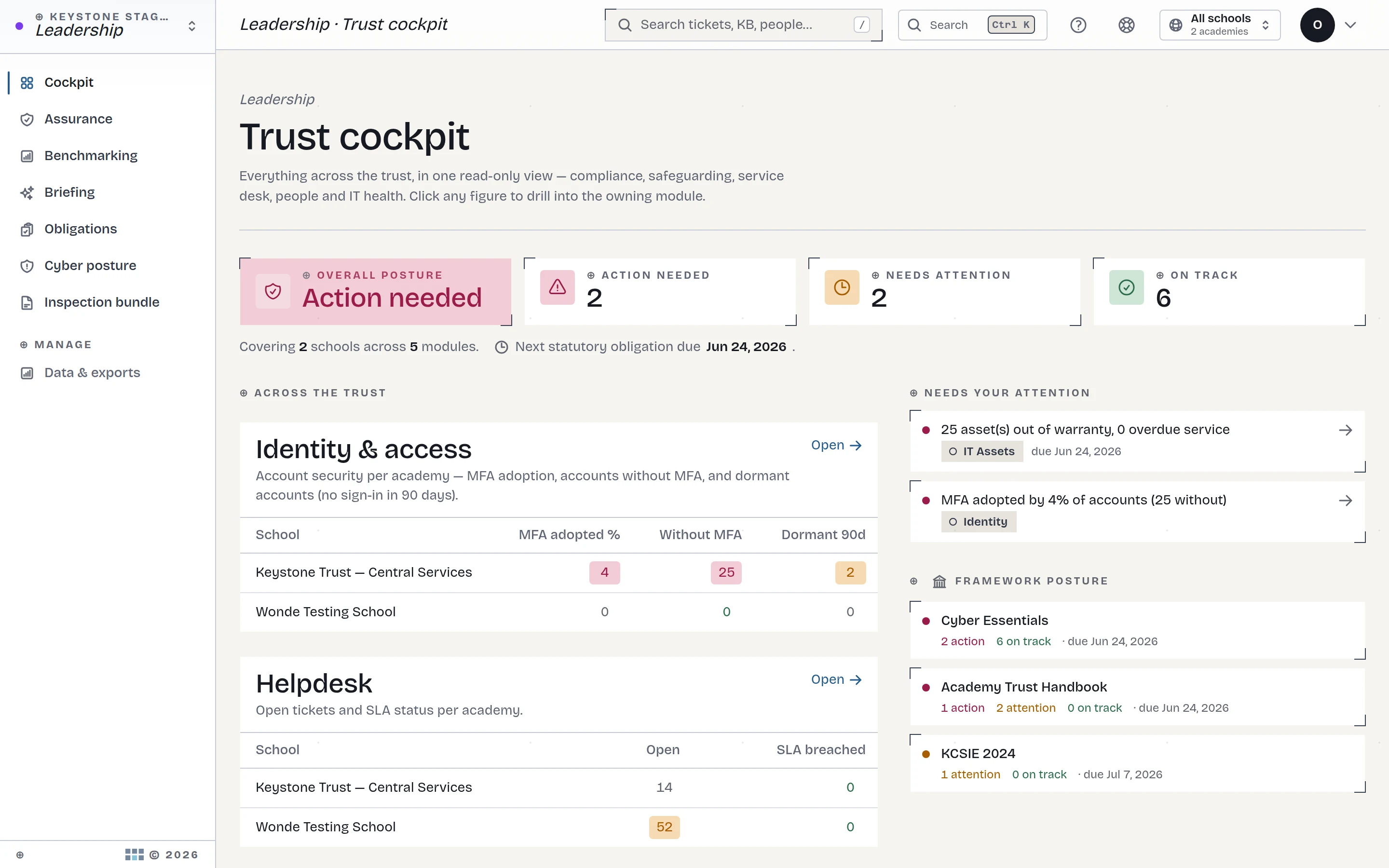
Every trust has a version of the same ritual: the call comes, and a very capable person loses a week to archaeology — digging evidence out of six systems, three inboxes and a ring binder. The evidence exists. It was recorded by someone, at the time, in whatever tool was nearest. The scramble isn't producing it; it's finding it.
This week's spotlight is the pair of features we built to retire that ritual: the Leadership cockpit and the one-click Inspection Bundle.
One RAG matrix, every school, every module
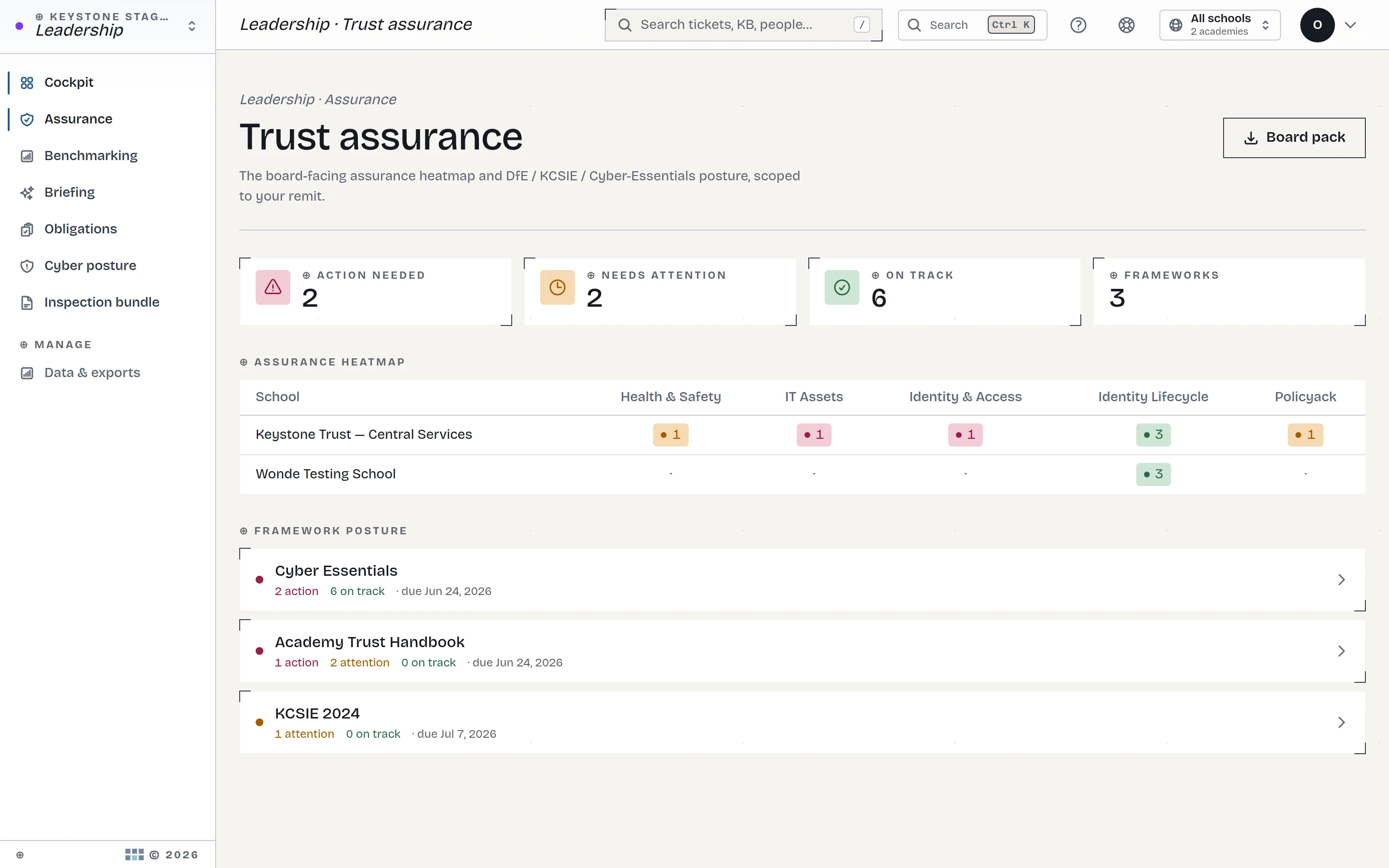
The cockpit is a read-only executive view across the whole platform: every school down one axis, every compliance domain across the other, RAG-rated from the live records underneath — not from a spreadsheet someone maintains by hand the night before a board meeting.
Click any cell and you land on the evidence behind it: the overdue PPM task, the expiring check, the unacknowledged policy. The RAG isn't an opinion; it's a summary of records you can open.
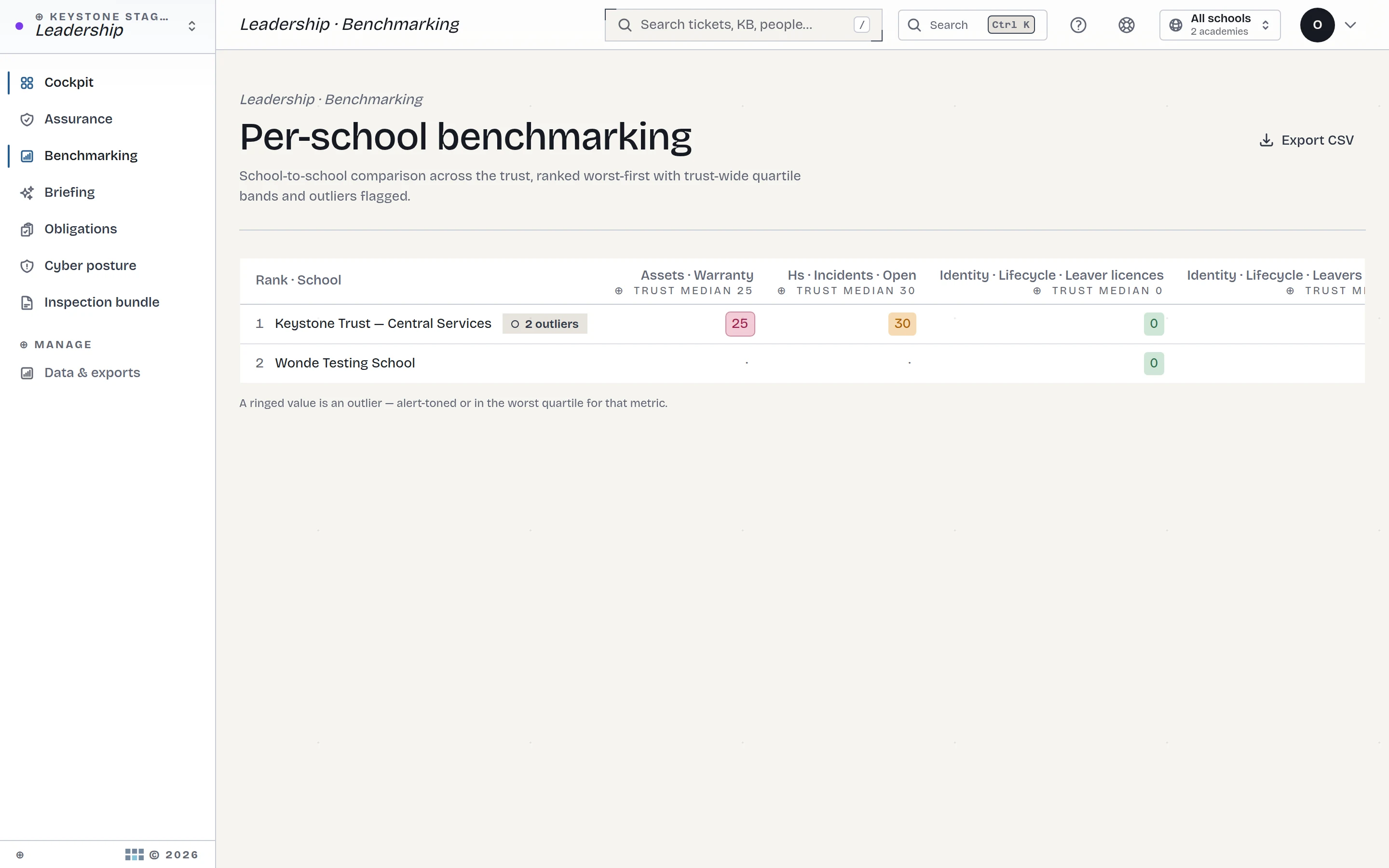
Benchmarking without the league-table politics
Schools side by side, with quartile bands — so "how are we doing?" has an answer that isn't an anecdote. Regional leads get the same view scoped to their patch, because a growing trust isn't a flat list of schools.
The bundle: inspection week as a button
Then the headline act. The Inspection Bundle assembles the evidence pack across the SCR, estates, health & safety and governance — in minutes, cryptographically signed so what you hand an inspector is provably what the system holds. Pair it with Inspector Mode — a time-boxed, read-only account where every view is logged — and the inspector browses the evidence themselves. No USB sticks, no printouts, no shoulder-surfing.
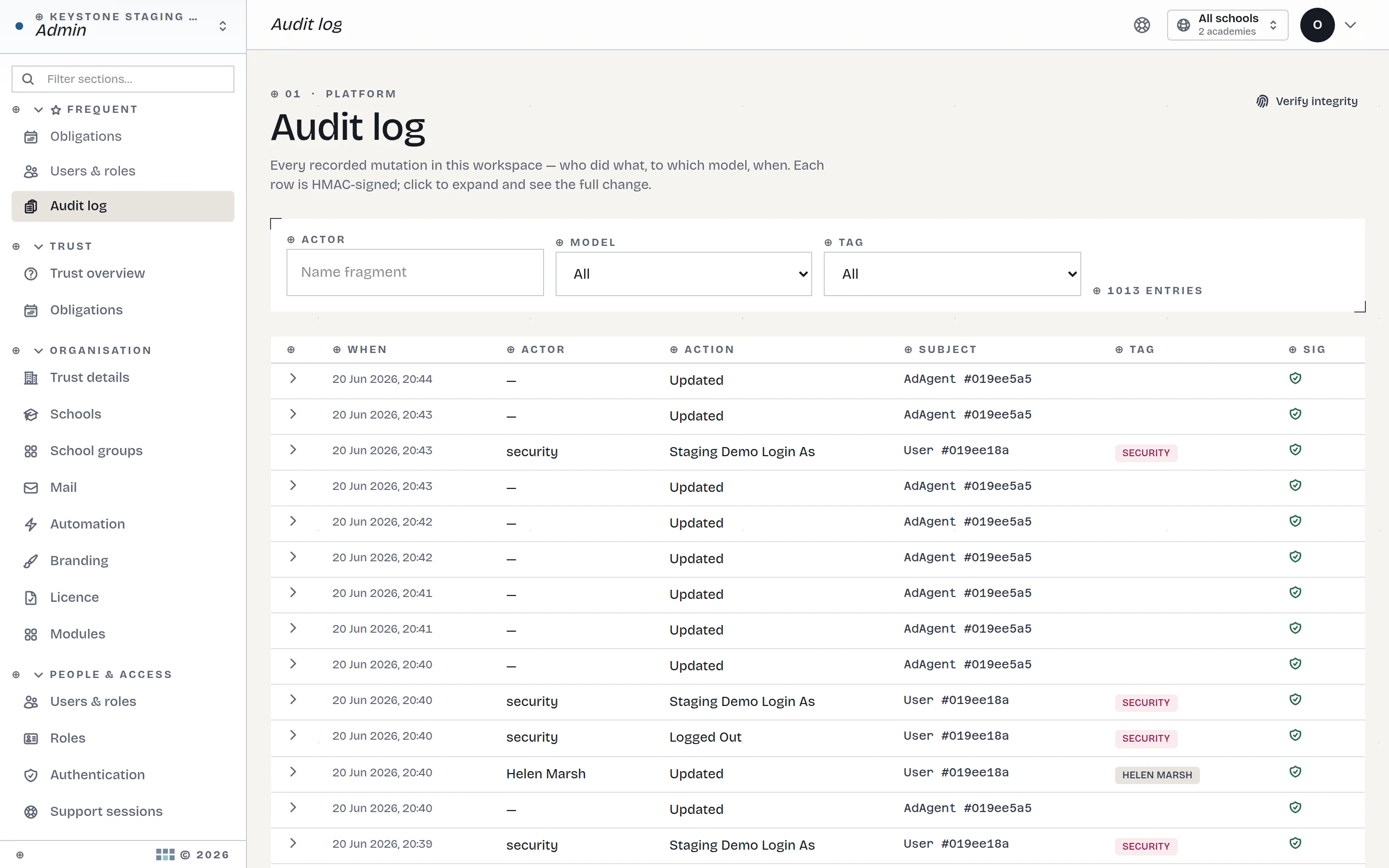
The deeper point isn't the button. It's that evidence accrues: the fire drill logged in November is inspection evidence in May, because every record lands with a tamper-evident audit trail as it happens. Nothing is "prepared" for inspection. It is simply retrieved.
The trail that makes "signed" mean something
A signed bundle is only as trustworthy as the records inside it, so the audit trail is the foundation the whole thing stands on. Every change to every record is chained cryptographically — edit an entry and the chain shows it, when, and by whom. Alongside it runs a separate, immutable access log: not just who changed things, but who looked. When Inspector Mode is active, the inspector's own reading becomes part of the record too — which tends to focus everyone's minds pleasantly.
Where the documents actually live
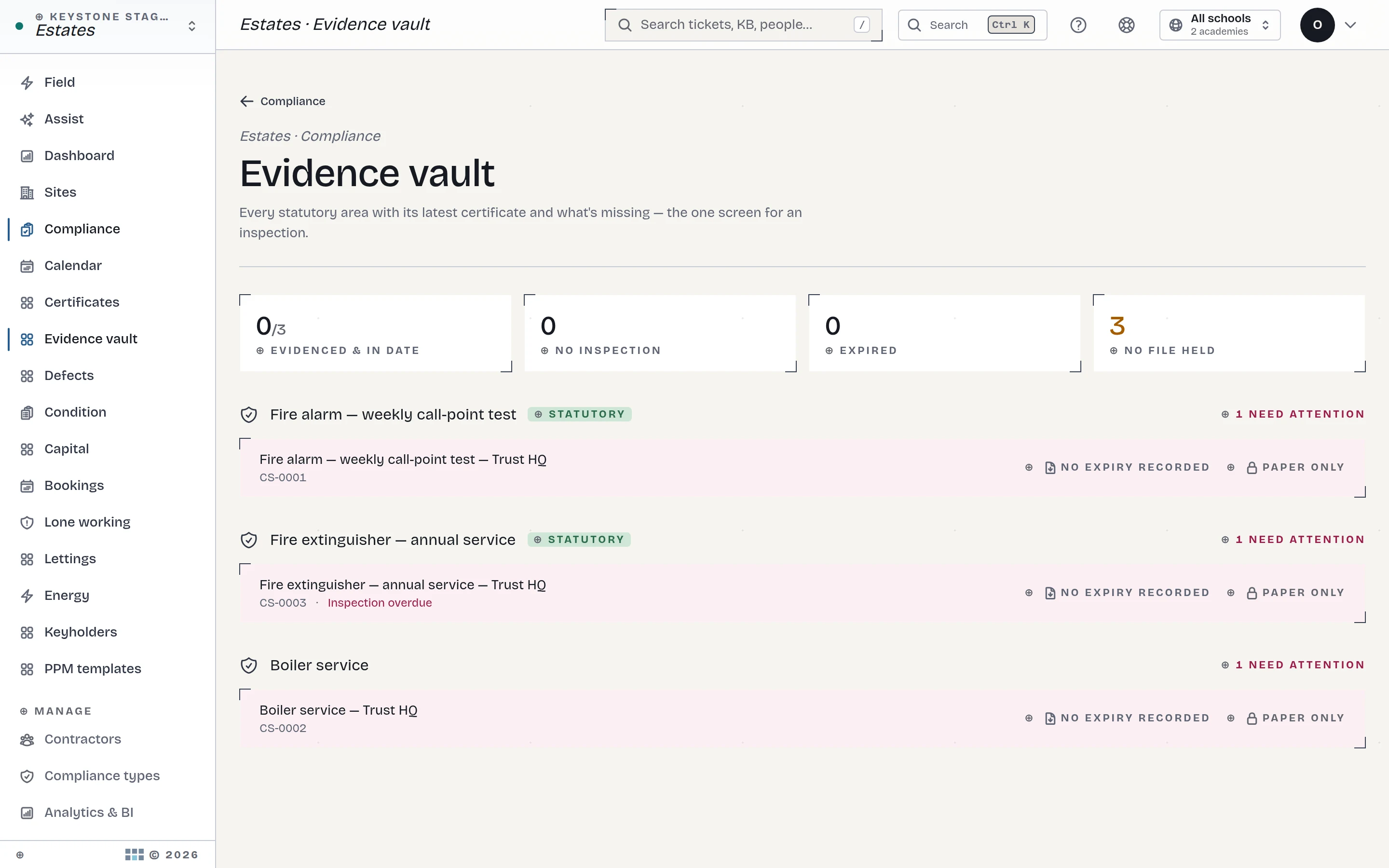
The bundle doesn't collect from a shadow filing system someone maintains for inspections — it collects from where the work already happens. The electrical certificate is attached to the site it certifies; the service report to the asset it services; the drill to the school that ran it. The evidence vault view shows it all in one place, but the filing happened at the moment of the work, by the person doing it.
Between inspections: ask it a question
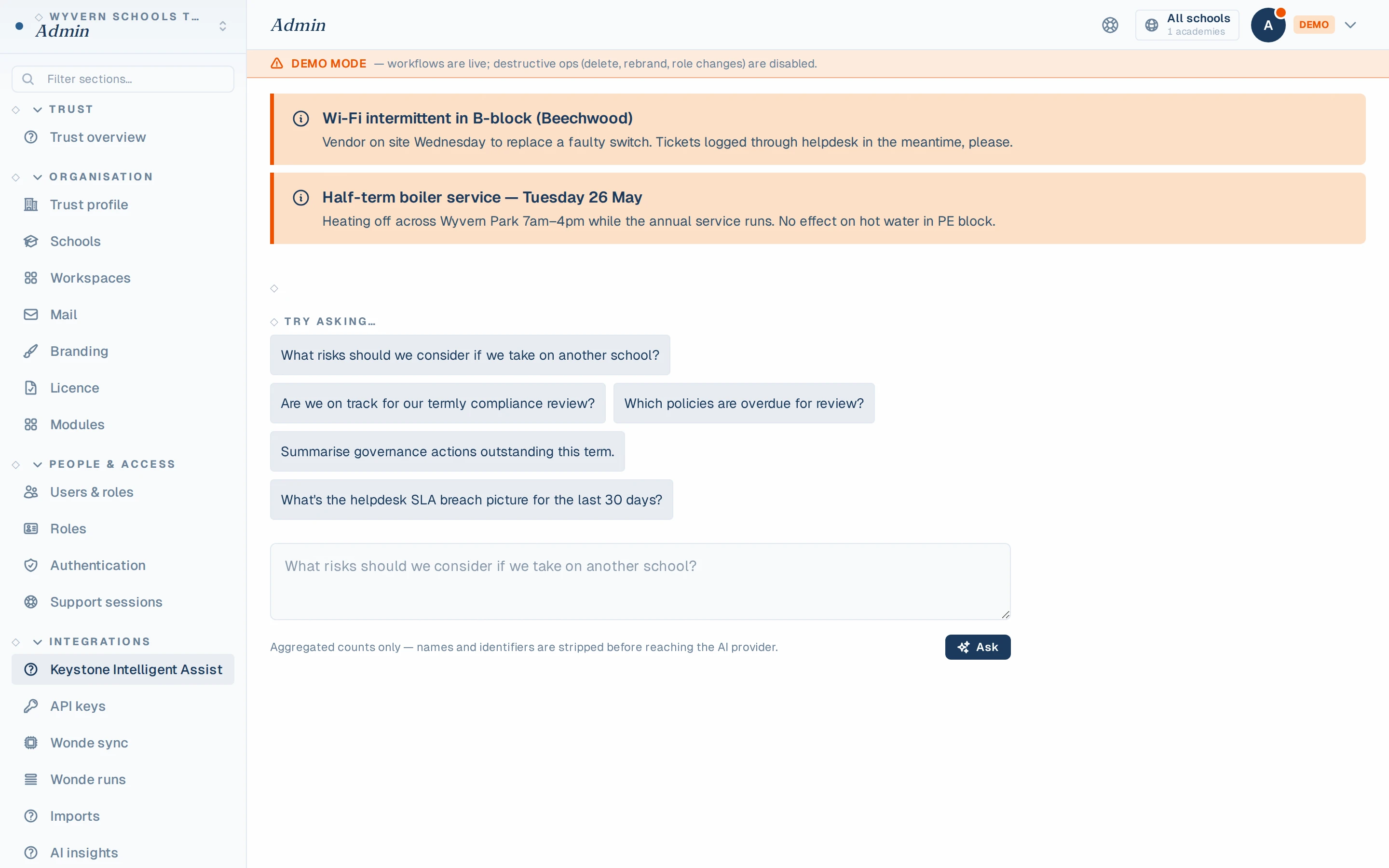
The cockpit answers "how are we doing?" — but executives ask messier questions than that. Keystone Intelligent Assist takes natural-language questions over an aggregated trust snapshot: "what are the risks if we take on another school?", "which school's compliance is drifting?" It cites your own data, and it's built the way everything AI is built here: off by default, switched on per workspace, aggregated counts only — no personal data in the prompt, bring your own key at provider cost.
What we're honest about
- The RAG is only as good as the records. If a school logs its drills on paper, the cockpit will say so — honestly. The platform surfaces gaps; it doesn't paper over them.
- We can't make an inspection pleasant. We can make it a week in which your evidence answers for itself while you get on with the job.
Try the whole drill
Open the live demo, go to Leadership → Inspection Bundle, and click the button. That's it — which is rather the point. See the full module → or read the 9pm evidence scramble, retired.
See KeystoneOps on your own data.
Click around the live demo — the real product, synthetic data — or get a 7-day private instance seeded with your trust's structure.